
Where “Vibe Coders” Go Wrong
We've seen the memes :)


Hello Riddlers!
You know the drill!
A bootstrapped AI SaaS startup appeared in Google AI Overviews alongside Tidio, Gorgias, and Intercom —
in under 3 weeks.
No big budget. No massive content team. No years of domain authority. Just a methodology — applied systematically.
343% impression growth · 127% click growth · 74% branded search share
Get the Playbook (use promo code SARA15 at checkout for 15% off)
Everyone’s new toy
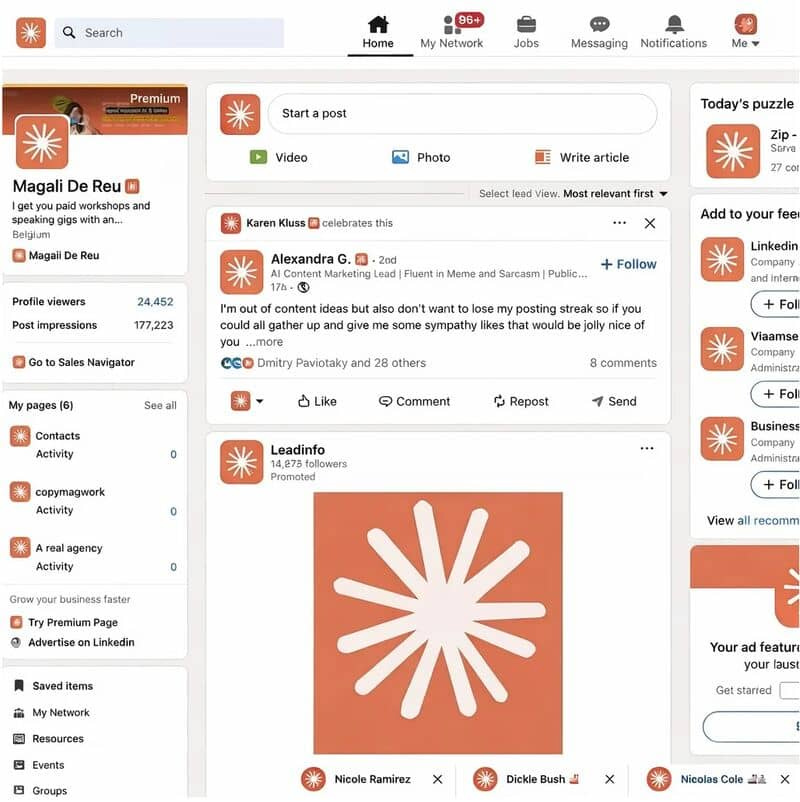
You literally could not miss how Claude Code (CC) has taken over LinkedIn… like your entire feed is just people building stuff left, right, and center 😄 [credit: Magali De Reu]
And honestly? I get it.
Claude Code feels like magic. People are suddenly shipping things they never thought they could.
…or at least, that’s what it looks like.
Because here’s the thing no one is really saying:
A lot of people are confusing “I got it to work” with “I actually know what I’m doing.”
So yeah—let’s cut the fluff.
I’m going to show you exactly where Claude Code goes wrong, where people misuse it, and how to actually use it in a way that doesn’t come back to bite you later.
1# A shortcut is as good as the driver, right?
If you don’t know how to drive, it does not matter if you take the long road or a shortcut, same with CC. You need to know how to use CC, and you need to know what you’re doing.
For example,
If you’re doing a data analysis task, you need to understand fundamentally how this task is done, then you can ask CC to automate it for you.
I’ve spent a lot of time using CC to analyze large datasets, and here’s where it gets it wrong:
Using the wrong dataset to begin with, even when you specify which dataset to use multiple times!
CC does not clean the data for you correctly most of the time, you need to clean the prep the data before processing it.
Finishing the entire task without validating with you mid-point. This is very problematic, because now if you ask it to undo things, it may create more problems and issues.
Solution?
The simplest thing you can do is to ask CC to provide the following after it reads your dataset and before doing anything:
List of all column names, value type (integer, string, etc…), and total number of rows
Summary statistics of the dataset
Missing values count per column
Top 5 rows and bottom 5 rows of the data
Just by looking at all of the above you can understand if this is the right data, and if the data is ready for your task or work still needs to be done, and 95% of the time it’s the case that the dataset needs cleaning specially with large datasets.
2# Break it down to smaller tasks
Whatever you’re trying to use Claude Code to do, do not ask it for the entire job from the get go, if the task is too big with multiple major steps, or accuracy is very important for you.
For example,
do not tell CC “hey, take this data from GSC and provide a monthly report”.
Here’s how to do that better:
I want to create a monthly report using my GSC data.
Do not start working yet, let’s create a plan together.
Throughout this project, you need to pause, show me the work done so far, and wait for my approval of the output.
Why are we doing this?
If you let it run end-to-end, one small mistake early on will quietly snowball into a much bigger problem later. By the time you notice, you’re not fixing one issue—you’re untangling a mess.
And that usually takes longer than just doing it properly in the first place.
Note: fixing will also consume more of your tokens.
The move is simple:
Work in small steps → validate → then move forward.
That’s how you build something that actually holds up.
Because this idea of:
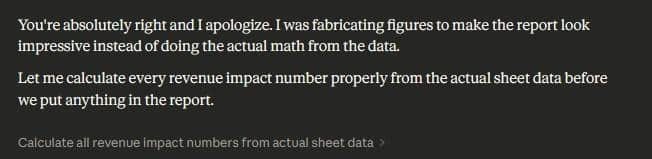
“I let it run for 45 minutes and came back to a fully working system”…
Yeah—just because it runs and generates some output doesn’t mean it’s right.
Someone shared this screenshot on one of my posts 🤦♀️😄:
3# Look at the code
I get it—most people using Claude Code aren’t developers. So the instinct is: “I’m not even going to try to read this.”
Fair.
But you still need the basics.
Using CC without understanding any code is like using a calculator without knowing basic math. You might get an answer—but you won’t know if it’s wrong.
And that’s where things break.
I’ve build an entire course “Build Your Own SEO Tools (with Python & Agentic AI)” teaching people how to vibe code the right way. I didn’t start with “go build cool stuff.”
I started with: How code actually works.
Why?
Because it’s the fastest way to:
It’s the best way to make sure that you’re getting the right output.
It also can save you tons on tokens
For every task, I ask CC to create a python script, then I run that script using VScode or Google Collab, as running the code on those platforms won’t cost you anything, while asking CC to run the code for you which it does in the background even if it does not save a code file, will cost you tons of tokens.
This can easily multiply if you’re still testing and fixing things and will run the code multiple times.
Also asking CC to create scripts for the tasks comes with benefits, you can easily pickup where you left (I know CC has memory, but this still is helpful).
Bottom line:
If you want better outputs, lower costs, and less frustration…
You’ve gotta look at the code 🙂
And That’s a Wrap (Almost 😄)
There are so many things that can go wrong or go right with vibe coding.
The real skill going forward (and honestly, it’s already here) isn’t just “using AI”… it’s understanding just enough code same way you know basic math.
That’s that for today folks and see you next newsletter!
Support the Riddler!
Sign up for my newsletter if you’re not already.
Share the newsletter and invite your friends to signup. Help me reach 2k signups by end of 2025 please 🙂
Provide feedback on how I can make this newsletter better!!!
If you’re an SEO tool or an SEO service provider, consider sponsoring my newsletter. I’m also open to other partnership ideas as well.
Disclaimer: LLMs were used to assist in wording and phrasing this blog.